
Good fit
- Fabric, cable or rope sold by length.
- Coffee, bulk goods or material sold by weight.
- Liquid or packaged products sold by quantity.
- Mixed catalogues combining measured products and whole units.
Talvune – Decimal Cart & Stock for WooCommerce
Let a customer order 0.8 kg, 1.25 m or 2.5 l. Quantities, stock and totals stay consistent through orders, refunds and stock restoration.
Fabric sold by the metre
1.25 m
Minimum
0.50
Increment
0.25
Stock
12.50
Use cases
The plugin manages orderable quantities. It does not turn WooCommerce into an area, volume or unit-conversion calculator. To display a price such as “€10 / metre” on product pages, simply use WooCommerce’s native price display suffix. This suffix applies store-wide; the classic cart does not repeat it natively in its unit prices. If the unit varies by product, show it in a product attribute or description, or use your theme or a suitable plugin. Weight and dimension units can also be selected under WooCommerce → Settings → Products → General. Talvune does not create those labels itself or convert units.
WooCommerce evidence
We create these screenshots in the test store used to cover simple and variable products, classic and block carts, orders, stock and refunds.
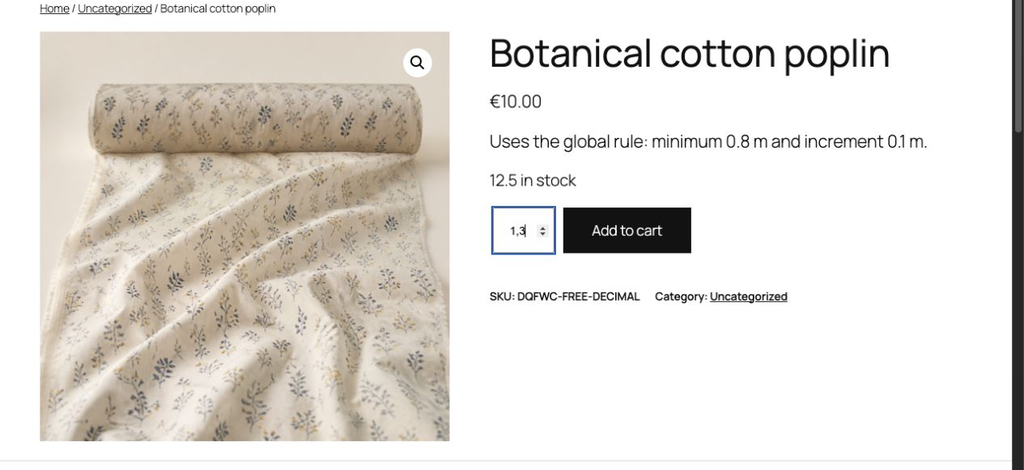
The minimum and increment define the values accepted before adding to cart.
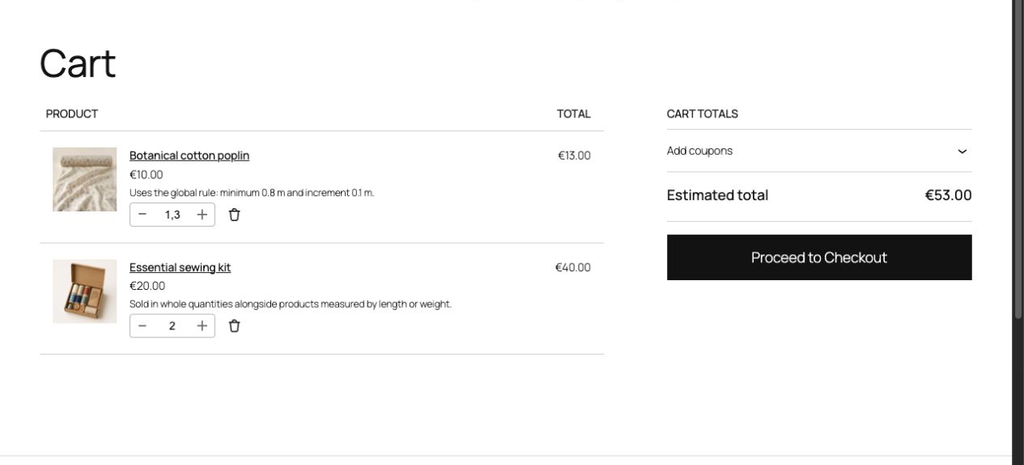
Decimal products and items sold by the unit remain clear in the same cart.
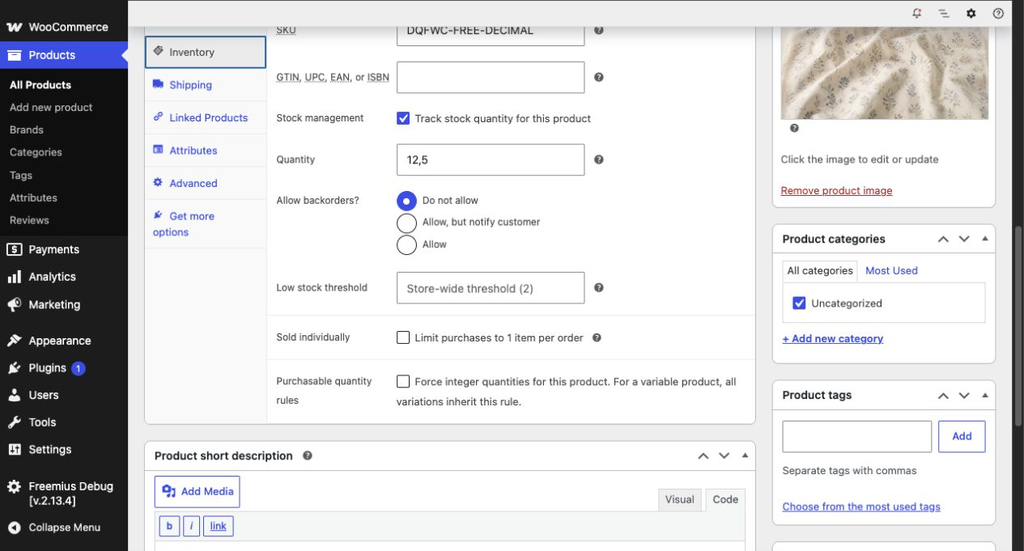
Decimal stock uses WooCommerce inventory fields and follows the quantities actually ordered.
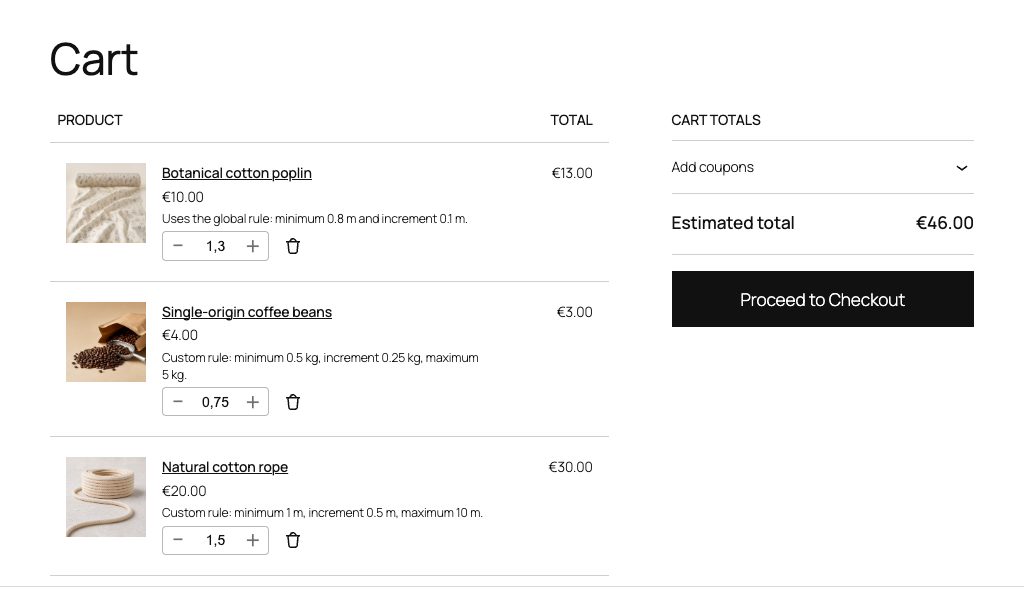
One cart can contain 0.1, 0.25 and 0.5 increments.
Free or Pro version
We designed the free version for catalogues where most decimal products share one rule. The Pro version becomes useful when products or variations need to behave differently.
Free version
Pro version
Verified compatibility
Six automated profiles cover minimum, intermediate and recent versions. Automated results do not replace the visual and commercial release checks.
Choose with evidence
Compare every feature, renewal, support and expiration detail before buying.